| Roadmap Project Completed | Roadmap Project In Progress | Roadmap Project Proposed: also proposed items will be given a time of the UNIX epoch so that it sits at the bottom of the timeline until moving from proposed to in progress. |
Website Roadmap
YouTube Import
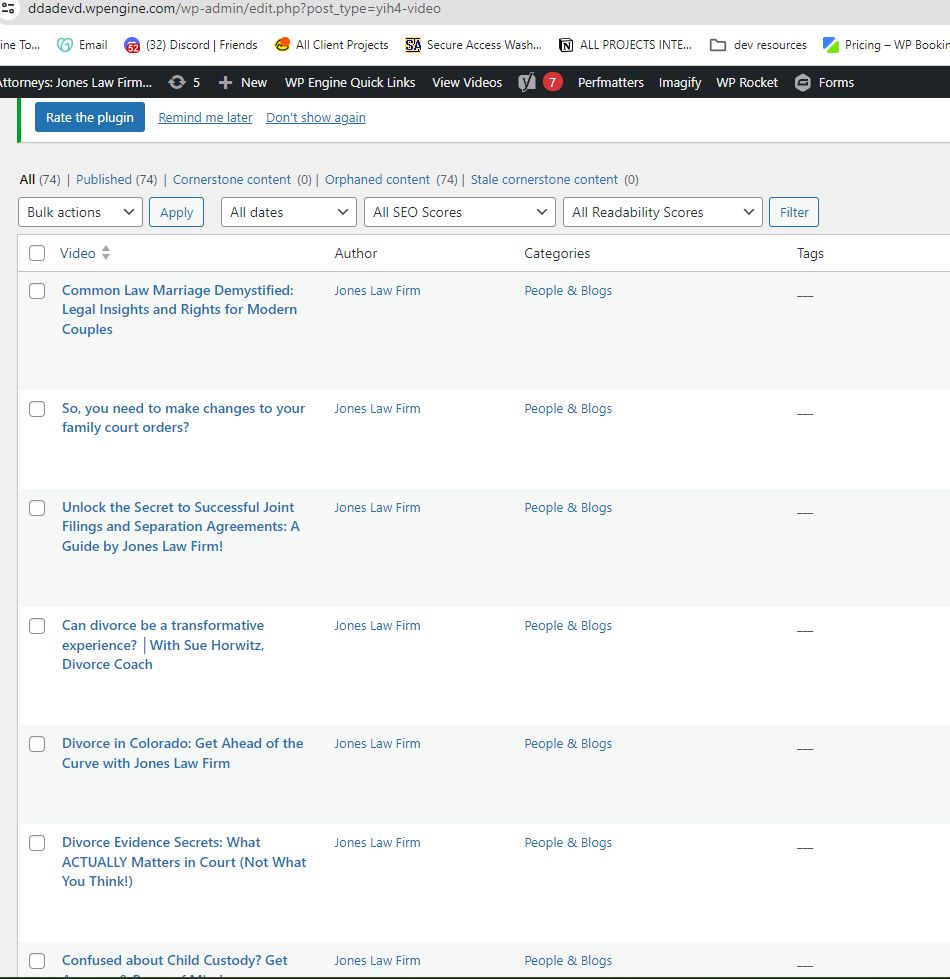
This project was originally billed and paid in 2023 at a rate of 20hours
original scheduling of this project in 2023 now complete all YouTube videos their descriptions and associated thumbnails have been imported into the staging site. the raw import unstyled can be seen in this custom post type: http://ddadevd.wpengine.com/videos/ or in the back end of the staging site: https://ddadevd.wpengine.com/wp-admin/edit.php?post_type=yih4-video once approved all data will be moved to the live site.Blog Layout Re-Design
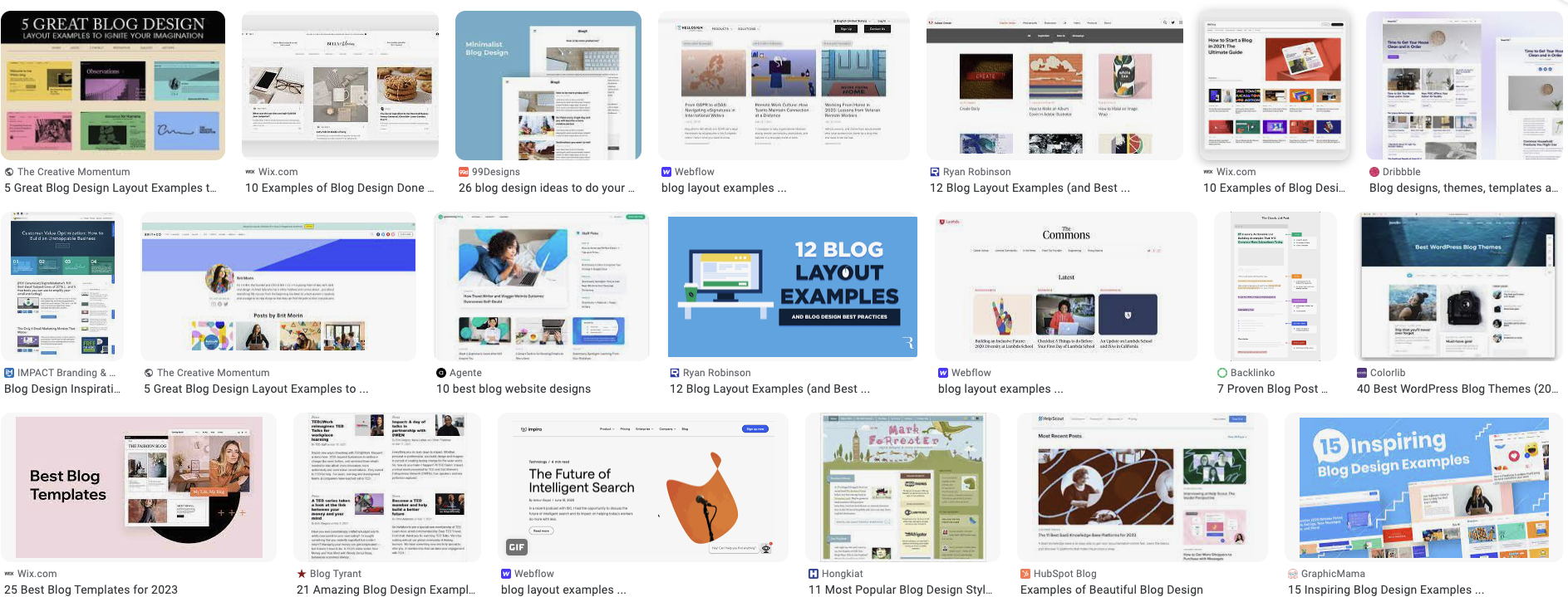
HOURS thus far are 6 total hours to be spent once complete will be an additional 6 for a total of 12 on this task
Installed configured and completed several raw tests using PostX, Plugin must be purchased and licensed in the name of the company. all design and development work have been initialized on Staging at https://ddadevd.wpengine.com/our-videos/ & https://ddadevd.wpengine.com/yep-another-category-template/MySQL 8 Update & Spiffy 2.2
ESTIMATE: 5 HOURS
ACTUAL: 10 HOURS
* PUSHED CODE CHANGES TO LIVE on WPEngine
CHANGES ARE NOW LIVE
* PUSHED CODE CHANGES TO STAGING TO TEST with WPEngine
* Deprecation code edits to
/wp-content/themes/spiffy-2-2/includes/shortcodes.php
/wp-content/themes/spiffy-2-2/includes/theme-changes.php
* Created Dynamics to support uploading the featured image to the page for the homepage hero shot:
/wp-content/themes/spiffy-2-2/template-parts/content/content-page.php
* Editable file that is the Homepage Layout rendered static:
/wp-content/themes/spiffy-2-2/template-parts/content/content-home.php
* Style and accessibility edits to css files with respect to creating 10 new break points in between 1000px and 279px. This will make the main tagline text more readable at smaller screen widths to fine tune the layout further and remove excess padding that was happening on the layout
/wp-content/themes/spiffy-2-2/saveit.css
/wp-content/themes/spiffy-2-2/save.css
* —— HOME PAGE for DDA Template ————
* content-home.php
* pulls in the content editing aspect of uploading the image to this template
* This template file mimics the layout of home as a
* static display instead of dynamic for reasons of
* simplifying the display. This locks down the editing
* of this page to this file but one dynamic has been implemented
* to allow for the featured image of the WordPress post to be utilized
* as masthead image of the page with all the employees.
* —— Edits to the CSS files of the theme ————
– bringing up further the text of “choose sides…” so that it is further in the red of Aprils dress and readable on smaller screen sizes
– reduced overall top padding on line to achieve the above.
– created 10 more break points in the css specifically to the end of ensuring the tag line is
– always visible properly from screen sizes 1000 down to 280 by reducing the line height and font size incrementally.
– at about 279 inb total width the page starts to break down but this is well below the normal screensize safely
– smallest screen size to consider according to UXPickle is 320: https://uxpickle.com/what-is-the-smallest-screen-size-you-should-design-for/
* HISTIRICAL EDITS IN ARCHIVE:
THESE FILES DO NOT CONTROL ANY DISPLAY
This is what the Gutenberg editor used to contain as the homepage content.
– /wp-content/themes/spiffy-2-2/template-parts/content/GUTENBERG TEMPLATE.html
This is the rendered content of the homepage for scratchpad needs does
– /wp-content/themes/spiffy-2-2/template-parts/content/HOMAGE PAGE INCLUDE.html
July Audits from LP / Performance Maintenance
Estimate: 5 hours
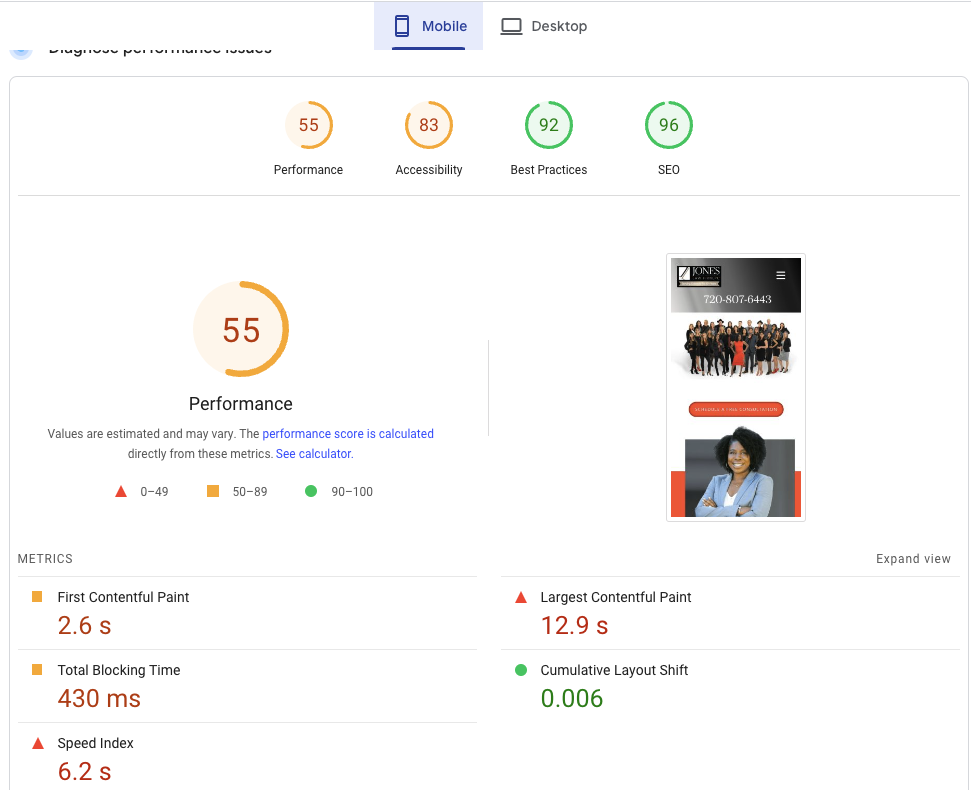
This task is added to address the post launch performance drop, the audits sent by LP’s initial technical audit document and a separate error that was learned today 7/21/23 with regards to Schema data improperly structured. All fix actions will be reported on this task.- 1hr – all 45 entires from LP’s 404 document have been addressed
- 1hr – all 47 entries from LP’s external redirects document have been addressed
- 5hrs – Performance testing & modifications was able to bring the page from 55/83/92/96 to a 94/85/100/96 https://docs.apriljoneslaw.com/docs/baseline-testing/spiffy-2-1/
Team Page Automation
Estimate: 5 Hours
currently the Our Team pages of the site has to be manually created by a series of several unnecessary steps if wordpress was implemented in such a way it became an abstraction layer for displaying teams vs just putting page content on a generic page in wordpress. Currently after each individual team page is created with the proper page style each team member must be inserted into a separate page fore the display of the grid of heads. None of this is necessary. WordPress can be used as a customized format where a site editor fills out a form on the back end of wordpress and a grid of heads is automatically output by the theme and templating layer of wordpress for you.Post creation notes:
Team page re-created using Blockstudio.dev Blocks. New plugin launched and implemented: Marc’s Spiffy Blocks V1.0 this allows for the drag and drop of “Attorneys”, “Paralegals” & “Firm Staff” on to the page. These containers will auto update based ont he new STAFF custom post type. Also now all STAFF post types will auto associate with a profile schema via the YOAST plugin configuration: https://schema.org/ProfilePage https://yoast.com/help/selecting-content-types-in-schema-settings/Required additional 2 HOUR REVAMP to move to LIVE because of: time length waited before moving platform from staging to live which has separated the update case of the staging site.
- Marc’s Spiffy Blocks V1.0 >> to 1.5 migrated
- CSS for entire Sources section removed from main css file
- CSS for Teams removed from main css file and moved to marc’s spiffy blocks plugin
- All old team pages & redirects for “our-team” removed
- all old team 404’s redirected to
Implementation & Purchase of blockstudio.dev
Estimate: 2 hours to install and configure the plugin itself with existing systems but will be used for the implementation and dev of many of the integrations proposed on our roadmap.
implementation of this blockstudio.dev plugin system will allow ALL of the systems proposed within our roadmap link in with the templating layer of wordpress much easier. Creation of things in conjunction with ACF Professional will mean a flawlessly customized and implemented display system for all your web media. You no longer have to count on if the input of the content looks good without having to also style it as you input. All data put into wordpress and instead of using user inputs into gutenberg the user input would be interpreted through the template directly on to a page layout pre determined by this process. thru the templates control of our brand layouts only will have to be created once instead of with the creation of every new page.
Analogy of the teams page and other important concepts:
the teams page proposal where a site editor will only have to fill out fields on a form with out having to deal with a full page layout editor gutenberg experience. to fill out any number of pieces of custom field data we add to the profile of a person in the teams area and output that as a template layer. Currently the only data we use on the teams page is: Name, Quote, Picture, Bio, shortcode for head of grids. Available use of data processed with the blockstudio.dev plugin will allow us the luxury to really make things like the teams pages shine by adding all sorts of other data to the template layer. Think of the team page like the profile and stats of a baseball card… we will have that sort of exactness of design we can accomplish. oooo idea… what if we made each team members page in the design aesthetic of a comic book character super hero layout. All we would have to do if the site was implemented in the ACF+Blockstudio.dev is have the page style designed once & the input of the data by site editors is just the repetitive task of inputting each individual piece of data instead of having to also associate the design of the page as well. By doing this you lower the bar in wordpress wherein any associate at any level of skill set can participate in the input of individual itemized data either one at time as the firm grows with adding team members or displaying customized data like the needs of the client portal, book review or article details
All designed layouts and customized input systems guarantee that your style of brand is represented exact in each step of the assembly of your site as presentation and content will be fully separated and determined by the abstraction layer of the system we created. This will allow for a developer to do the heavy lifting and the use the labor of even an intern staff then becomes useful to a firm media department allowing anyone at any level to have a role that helps during frequent and consistent marketing pushes. In specific editing of the site is a skill set which can be taught in a several hour class and truly isnt hard but Implementation of a staff to edit things created using this method could be accomplished with *any* staff member that can use word or excel without the need for any training.
Implementation of “Breadcrumbs” on site & Implementation of Missing Pages
estimate: 5 hours
implementation of breadcrumbs site wide. user based feature will look similar to something like this with the actual page names in place. Each page will be a link to its specific branch of the sitemap and provide a guide of pages within that branch. links will also be created using breadcrumbs structured data. This will help SEO and will help users indicate where they are within the sitemap of a website. creating this type of navigation with our web of Hierarchical page setup we will find a handful of pages that don’t exist yet in our navigation. These pages will be created as part of this project. These pages did not make it into the re-design because there is no link to them anywhere on the site itself.home > parent page 1 > child page 1 > sub-child page 1
Phase 3 LAUNCH TO LIVE
Implementation of Phase 3 Staging to LIVE
- Move data from DDASTAGING to LIVE Environment
- Clear All Cache
- Replace all staging urls in content
- Ensure all plugin systems are updated
- Verify Mailgun Connectivity
- Implement GA4 & Verify All accounts within Tag Manager w/Google SITEKIT
- Verify all accounts in Yoast
- Setup Schema Markup on key pages
- Implement Schema based Reviews system.
- RE-Engage WPRocket & PERFMatters & Imagify
- Rebuild all cache on live
- Minify On live
- Final Round Re-Check to ensure SEO Test scores remain unchanged or better in new theme version
- GTMetrix Data Metrics
- Mobi.ready
- Pingdom
- Page Speed Insights
- Mobile
- Desktop
Phase 3
Round 1: Implementation/Migration of Phase 2 Part 2 from Development to Staging
- Biggest Visual Change of this whole process:
- The Entire site has been converted to a Full-Width Page width no sidebar experience.
- This puts the focus on the content and removes distractive elements from the page.
- Additionally because of the use of Gutenbergs easy-to-use “responsive column system” all column based layouts will properly align on a phone with a redesign of the content.
- Some pages have new layouts . When compared to the original a stark difference in usability should be noticed.
- Moving theme from Development to Staging
- Moving data from LIVE to staging
- Page edits and short code removal from all pages one by one
- Setup of Gutenberg on all pages
- Redesign of ALL Team Pages to work on Gutenberg Columns
- Elevate Footer (Similar To Logical Position’s Footer)
- Final Round Re-Check to ensure SEO Test scores remain unchanged or better in new theme version
- GTMetrix Data Metrics
- Mobi.ready
- Pingdom
- Page Speed Insights
- Mobile
- Desktop
- Backend Updates Based On Data
- Front End Visual Updates To Improve Client Experience
Phase 2
Part 1: Simplifying WordPress Engagements (Primarily On Technical SEO)
- Minifying Integration
- Elevate Header (Decrease Mobile Clutter – From 2 TO 1 Rows)
- Bulk Updating Of Technical SEO – Ex Meta Description & Title Tags
- New Plugin Additions & Licensing Under JLF Business
- New Plugin Configurations
- Bulk Organization Of Media Library – Ex. To Support “Video” Page Redesign
- Structured Data Markups
- Completed all SHORTCODE Documentation on docs.apriljoneslaw.com
- Still have to create how to sections of the documentation area.
- Completed all technical SEO Testing reports for OG site and for version 1.5 on docs.apriljoneslaw.com (MOBILE USABILITY WIN!!! WE NOW SCORE A 95% !)
- GTMetrix Data Metrics
- Mobi.ready
- Pingdom
- Page Speed Insights
- Mobile
- Desktop
- Created a full width template for pages such as contact us which do not need the padding around the outer edges
- Rendered fix for contact menu to display vertically instead of horizontal
- Remove all Banner and INTERNAL_TEMPLATE shortcodes from default pages
- New Template updates that allow for the default page template page.php to have what was added by the short codes and inside the template itself contain the markup necessary to automatically select the right html markup based on testing which page is displaying
- Removal of use of FLEX class in overall templates
- Removal of FW Plugin
- Made Team Pages work on Gutenberg editor (used Morgan Terrell on DDADEVD as example)
- Edited team page css to allow for 4 items per row auto adjusted on resize for flex
- Changes to articles.php to account for the correct header now that page.php has been modified
- addition of content-articles.php in template-parts/content
- Conditional & logic programming changes to page.php which allow for the background image to be uploaded using an ACF Module
- Need to put in place a full width template for pages such as contact and speaker
- Removal of all css from CUSTOMIZER
- Addition of saveit.css to theme root and link in header-scripts.php
- Reveal of Easter Eggs
- Addition of Front-Page.php which forms the homepage header html
- All of this makes the Block editor actually useable to convert all the pages so that eventually NO shortcodes are used anywhere for overall page structure and the resulting HTML has been integrated into the default page theme so a admin user can much easier create a page knowing the default and proper styles will be properly implemented.
- De Queued ALL unnecessary and unused styles&html code from the DOM in an effort to reduce the DOM overall Reduced from 2400 nodes to 864 nodes
- Dequeued and placed in static file
- Telephone styles
- Map styles
- Heart styles
- Awards styles
- Testimonials
- Testimonials versions
- Slider styles
- Modified home page practice areas by adding classes to line 413 of static_section shortcode myprac
- This also requires adding the class “yep” to the practice areas content in the sections practice_areas post
- Added all classes previously inserted in the generated page into to the new saveit.css file to continue DOM reduction
- Changes to free consultation page to make header smaller and removed apex chat from this page
- Before Move will redo Employment page layout ENTIRELY
- Created responsive breakpoints to make sure the header is properly navigable on:
- iPhone SE
- iPhone XR
- iPhone 12
- Pixel 5
- Samsung Galaxy S8+
- Samsung Galaxy S20 Ultra
- iPad Air
- iPad mini
- Surface Pro7
- Surface Duo
- Galaxy Fold
- Samsung Galaxy A51/71
- Nest Hub
- Nest Hub Max
- Load testing with WPRocket to Optimize
- Resolved background image issues and removed theme based lazy load script which broke most of the auto lazy load features of WPRocket
- Load testing with PerfMatters
- Optimized theme on site to work specifically with WPRocket enabled
- Enabled GZIP on development environment for final load testing.
Phase 1
Skeleton Structure Correction:
- Hosting Transfer (Host Monster to WP Engine) Done As Of 4.25
- DNS Record Management – Done As Of 4.25
- Tags & Categorization Done As Of 4.25
- Page Speed Optimization Done As Of 4.25
- API Connections (Lead Docket Support) Done As Of 4.25
- On Demand: Page Break Corrections Done As Of 4.25
- Plugin Management Done As Of 4.25
- Broken Link Corrections
- Canonical URL Error Corrections
- Redirect Corrections
- On Page SEO: Home Page Modifications Done As Of 4.25
- Landing Page Updates: DDA Contact Forms Done As Of 4.25
- New Page Creation: DDA Free Consultation Done As Of 4.25
- Landing Page Updates: FRED Forms Done As Of 4.25
Areas We Serve Redesign
estimate: 2 hours
These pages didn’t really exist anymore and for the one that does exist it could be alot more handy with design that queues better as to the areas we serve index as the highlight of the context of that page.
Setup and Config of Funnels and Drips w/PDF Downloads
estimate: 12hours
This feature will allow us to route users to specific PDF downloads that pertain to their specific category of law need. We will utilize a customized version of funnels within our own website to gather their information and makes choices of which specific PDF to route to them. Once the client downloads the PDF on the final page of the funnel they will be subscribed to a “Drip” campaign connected on MailChimp that will send them a predetermined series of emails based on their selects of interest of law. All lead information will also be passed off to LeadDocket and either Calendly or our own custom version of appointment booking system proposed in another proposal that exists on our website roadmap for appointment booking.
Includes the setup and configuration of 3 funnels and 3 drip campaigns. marketing team will provide developer with content that the developer will configure within this system.
On-Site Calendly Replacement
estimate: 10 hours (15 hours with payments and ticketing)
This is a custom full appointment booking system that has the ability base all appointments on existing systems Integrates with:
- Webhooks
- Outlook
- GoogleCalendar
- Eventbrite
- Zoom
New system will also have the options for further integrations with a payment-for-appointent system AND a QR Code based ticketing system for attendees of an event.
On site Internal Reviews Collection and display system
estimate: 15 hours
This will give us a way to point a client (or even internal paralegal associate) to a page of our website where a review with rating information can be gathered via a form for automatic-display-after-admin-approval of review. all results will be automatically inserted into a wordpress custom post type making the review then editable in gutenberg after submission. A page on the front of the site within our site map will be used for automatic display of submitted reviews after approval from an authenticated admin. Feature will be created using a combination of ACF (professional license required) & Gravity Forms
Accessability Audit & Edits created from audit
estimate: 8 hours
Estimate could vary based on number of edits that need to be addressed but know that we fixed 70% of previously existing accessibility issues by the process we went through. Only 30% of stuff is even left which would only be discovered and addressed in a specific audit.
Client Portal
estimate: (depending on specific plan) 20 to 60 hours
Git Hub Code Repository
estimate: 5 hours
A Code repository contains all of your project’s files and each file’s revision history. You can discuss and manage your project’s work within the repository. https://docs.github.com/en/repositories/creating-and-managing-repositories/about-repositories< We can likely get away with the free version unless more detailed code documentation would need to be baked into the repository. if an account does end up being needed it would be a one user repository which only costs $3.67/month. https://github.com/pricing
END